Connect your bank messages
About three minutes, once. After this, every bank message lands in your week by itself. Phone locked, app closed, nothing to do.
- Takes
- About 3 minutes
- Needs
- Money Watch installed and signed in on this iPhone
- Costs
- Nothing, and no bank login, ever
Before you start
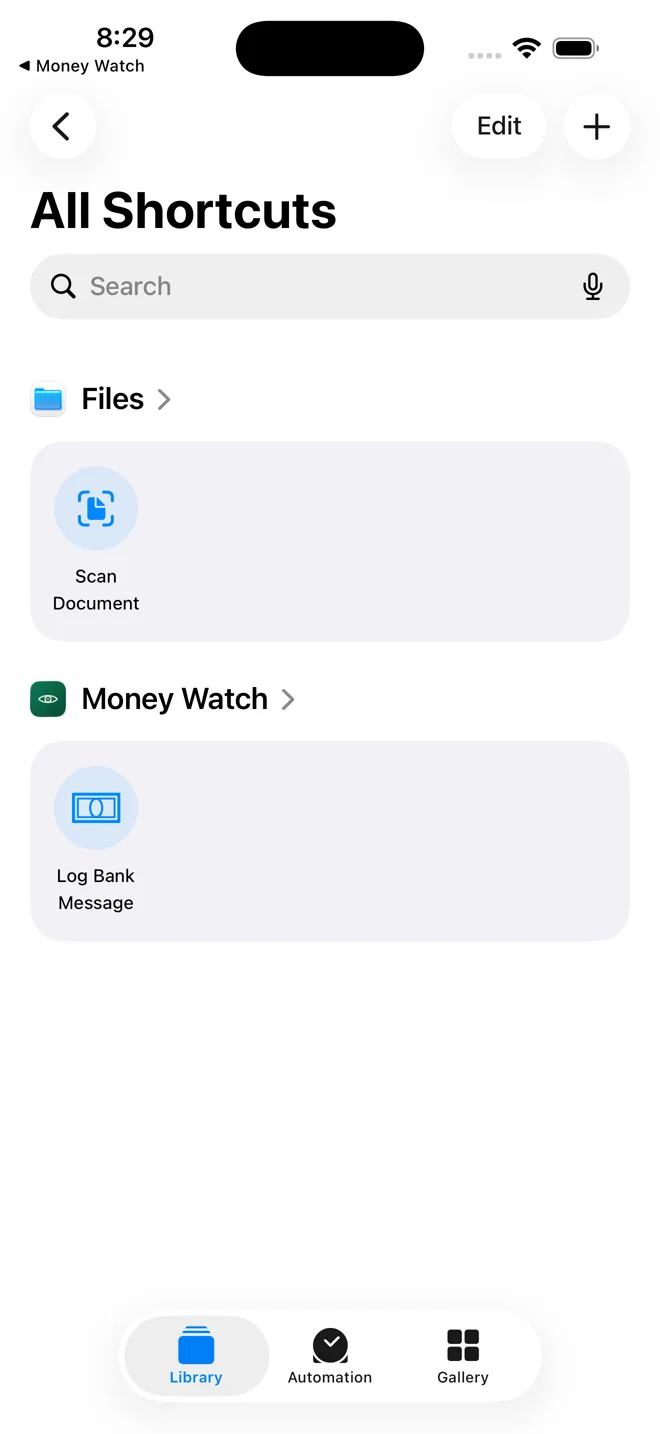
Nothing to install
Open the Shortcuts app that came with your iPhone. Log Bank Message is already there under Money Watch. The app put it there when you installed it, and it already carries your key. You will not download or paste anything.
If you do not see it, open Money Watch once and come back.
The first automationEnglish messages: the word EGP
Go to Automation
Tap Automation at the bottom of the screen.
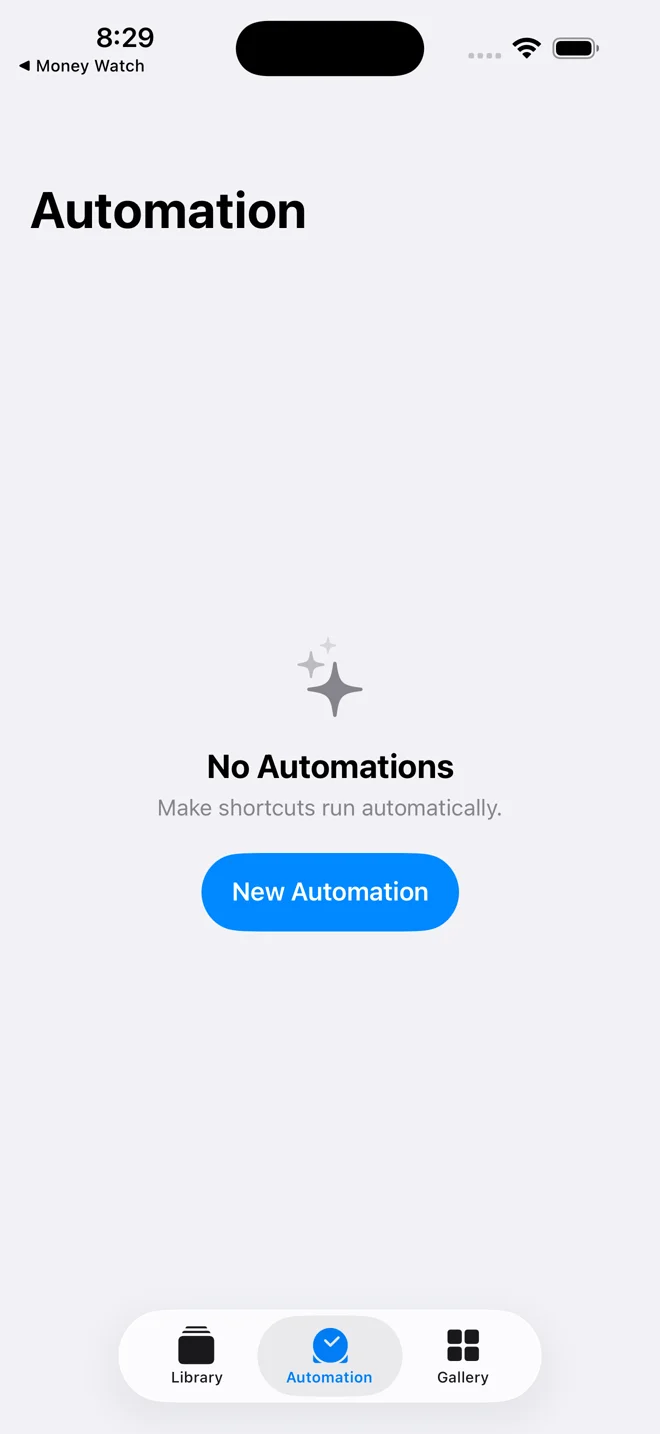
Start a new one
Tap New Automation.
If you already have automations, tap the + in the top corner instead.
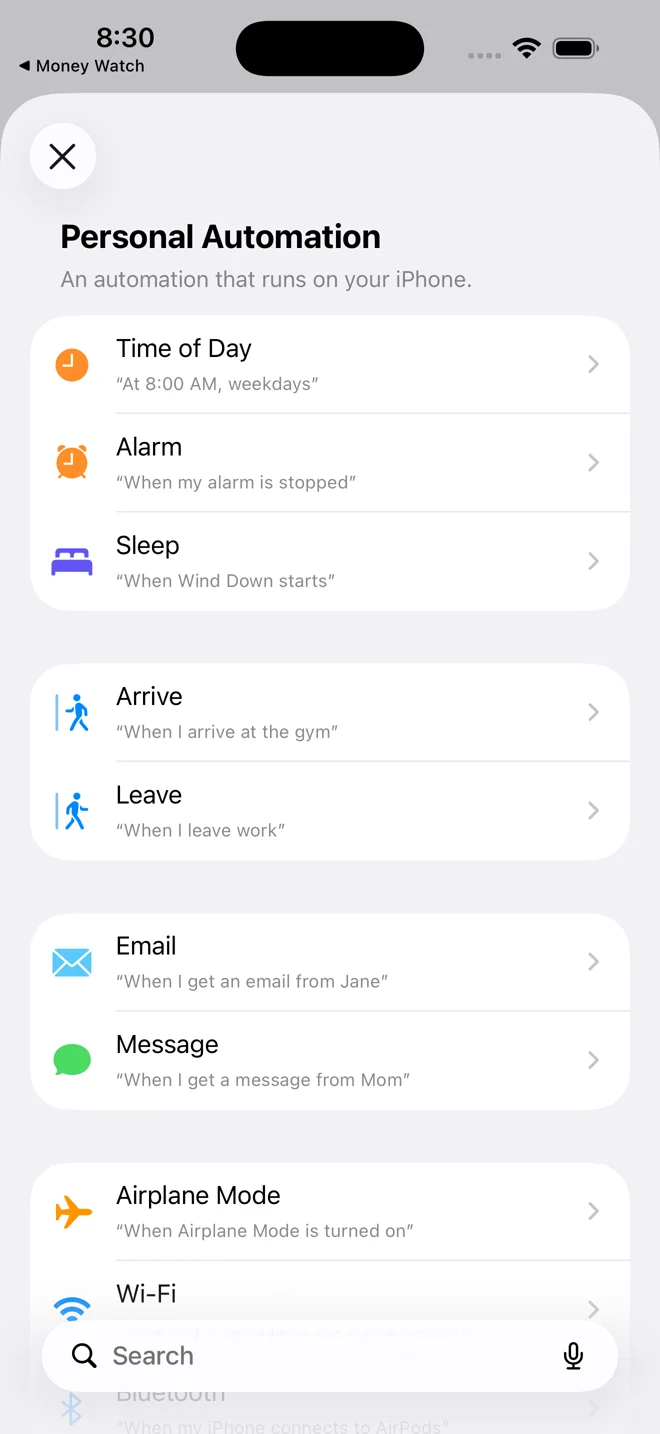
Choose Message
Scroll to Message and tap it.
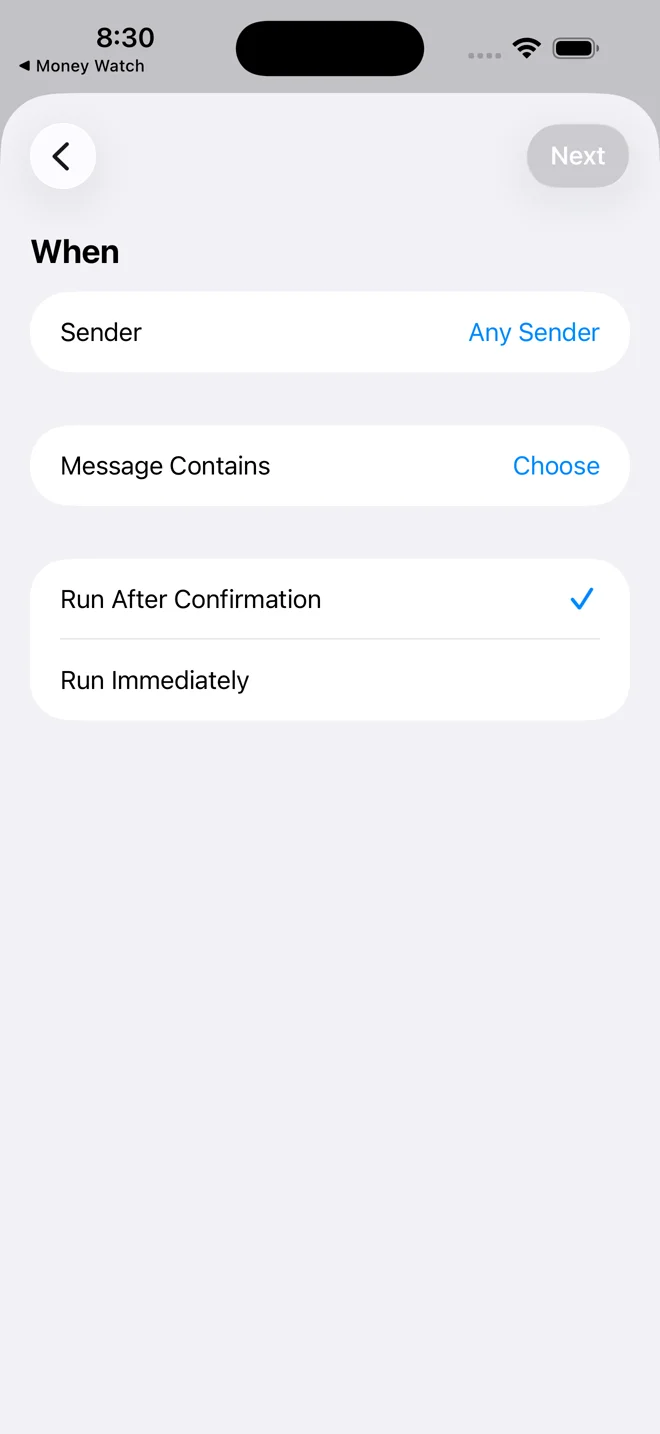
Tell it which messages
Tap Choose next to Message Contains. Leave Sender as it is.
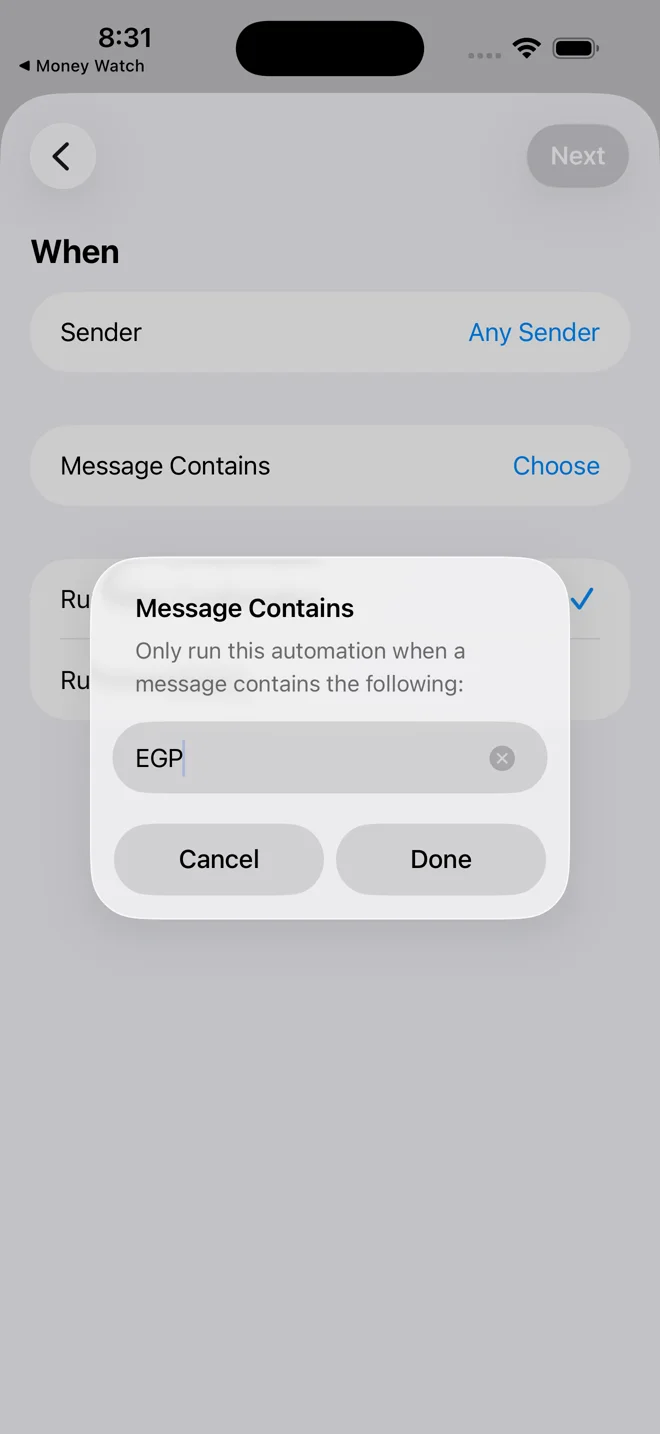
Type EGP
Type EGP in capitals, nothing else, then tap Done.
Every bank charge written in English contains this word.
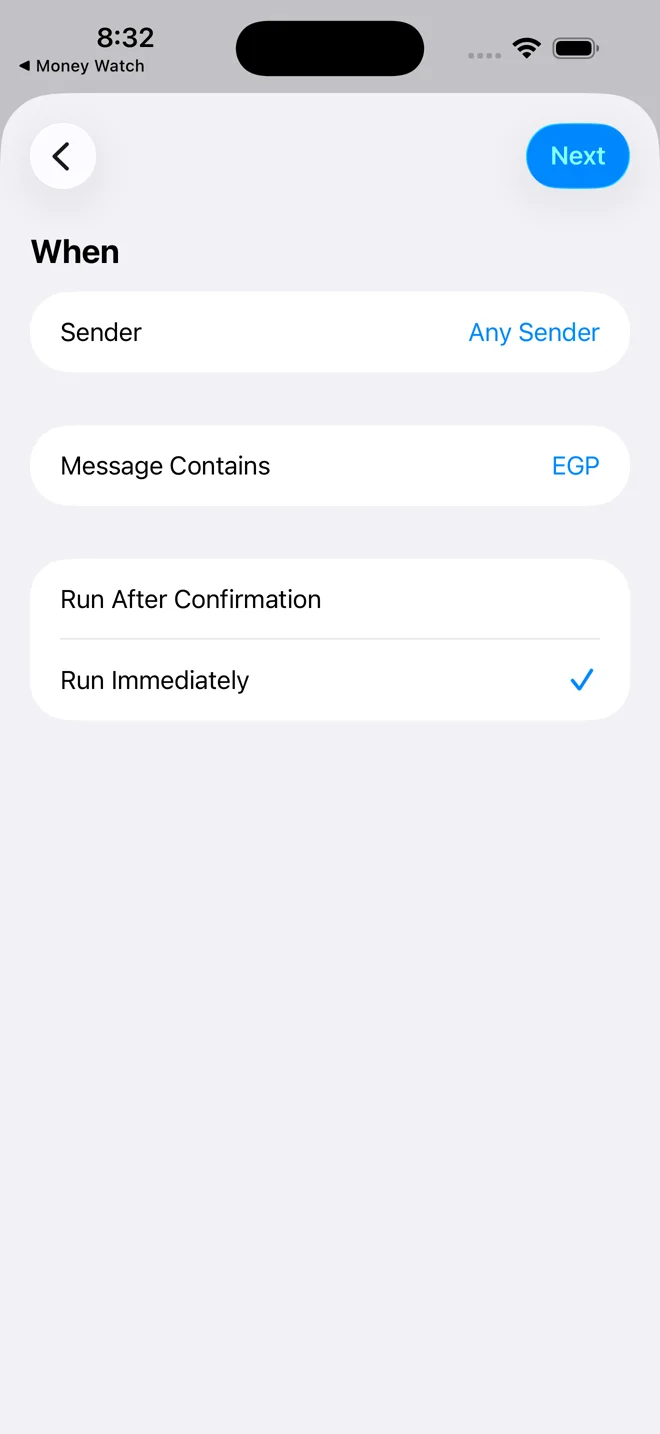
Run without asking
Tap Run Immediately so the tick moves to it. Then tap Next at the top.
Run After Confirmation would make your phone ask you every single time a message arrives. That is the one setting people get wrong.
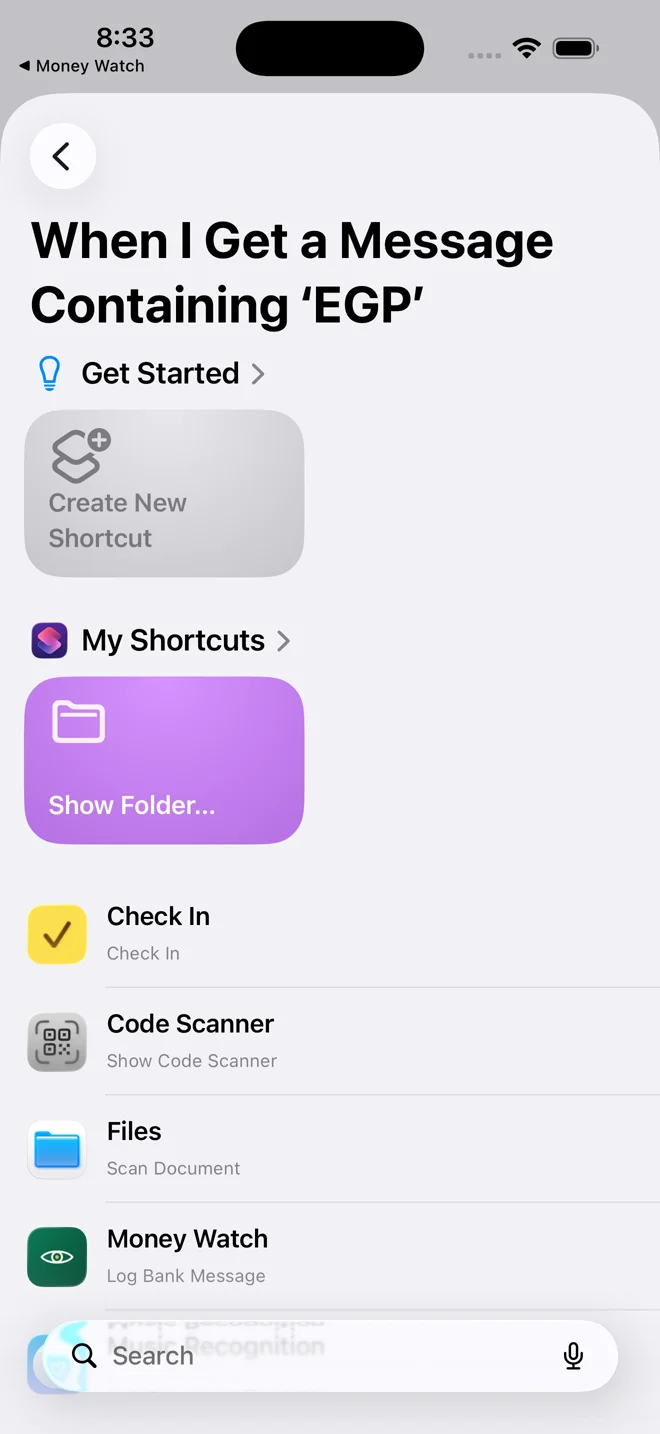
Pick Money Watch
Scroll down the list and tap Money Watch.
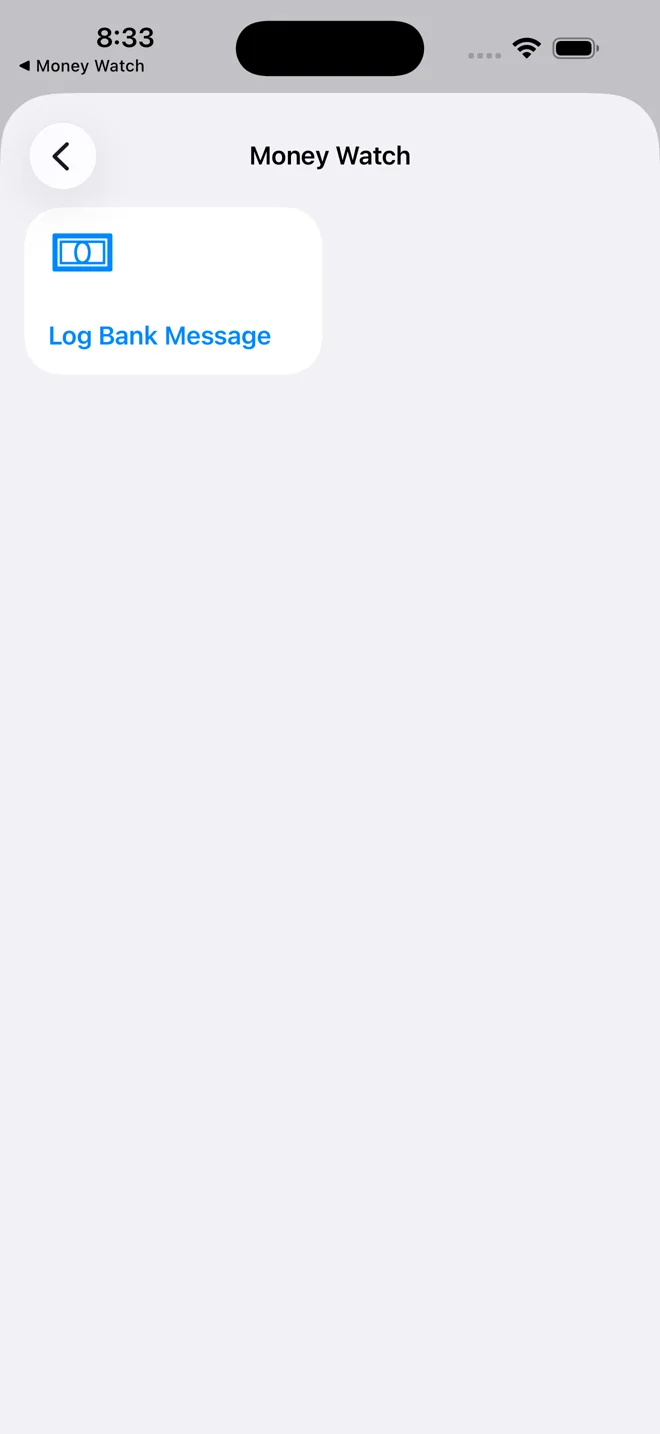
Tap the action
Tap the Log Bank Message tile. That saves the automation and switches it on.
One down
It appears in the list, already on. Nothing to confirm.
To stop it one day: swipe left on it here and tap Delete. Nothing more is sent from that second.
Two more, for Arabic messagesSame taps, a different word each time
Egyptian banks write some messages in Arabic. Those never contain EGP, so make the same automation twice more with an Arabic word. Copy the word from here and paste it into the Message Contains box.
جنيه
pounds
Arabic account debits say the amount in جنيه.
تحويل
transfer
Instant transfers in and out, in every bank's wording.
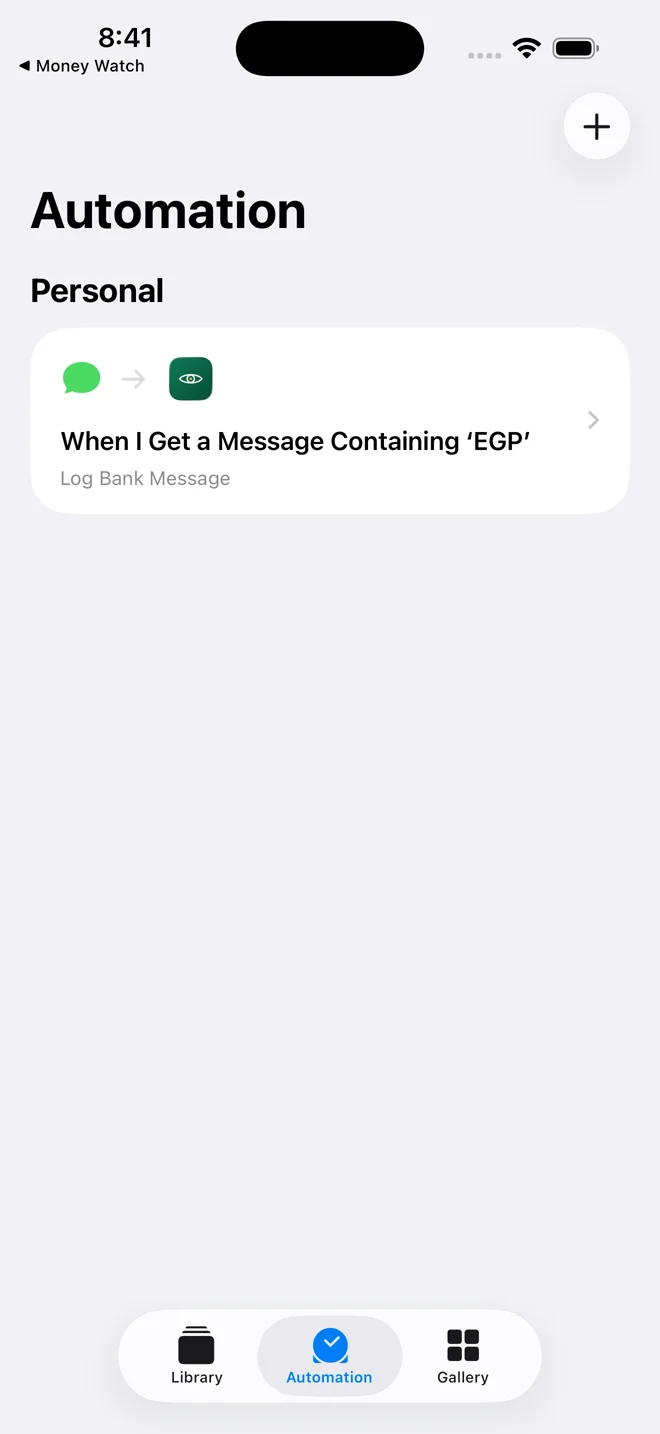
Tap the plus
Back on the Automation list, tap + in the top corner. Then repeat steps 3 and 4: Message, then Choose.
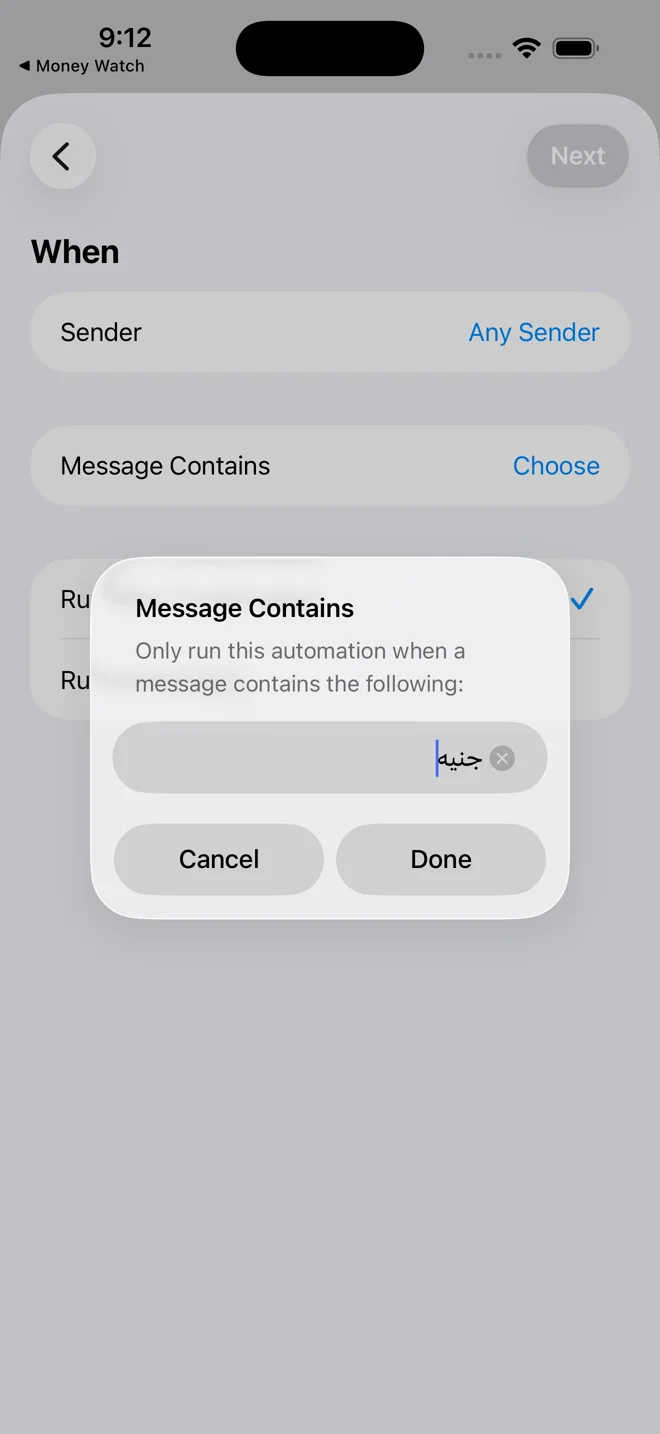
Paste the first word
Press and hold inside the box, tap Paste, and جنيه appears. Tap Done, then Run Immediately, Next, Money Watch, Log Bank Message, exactly like before.
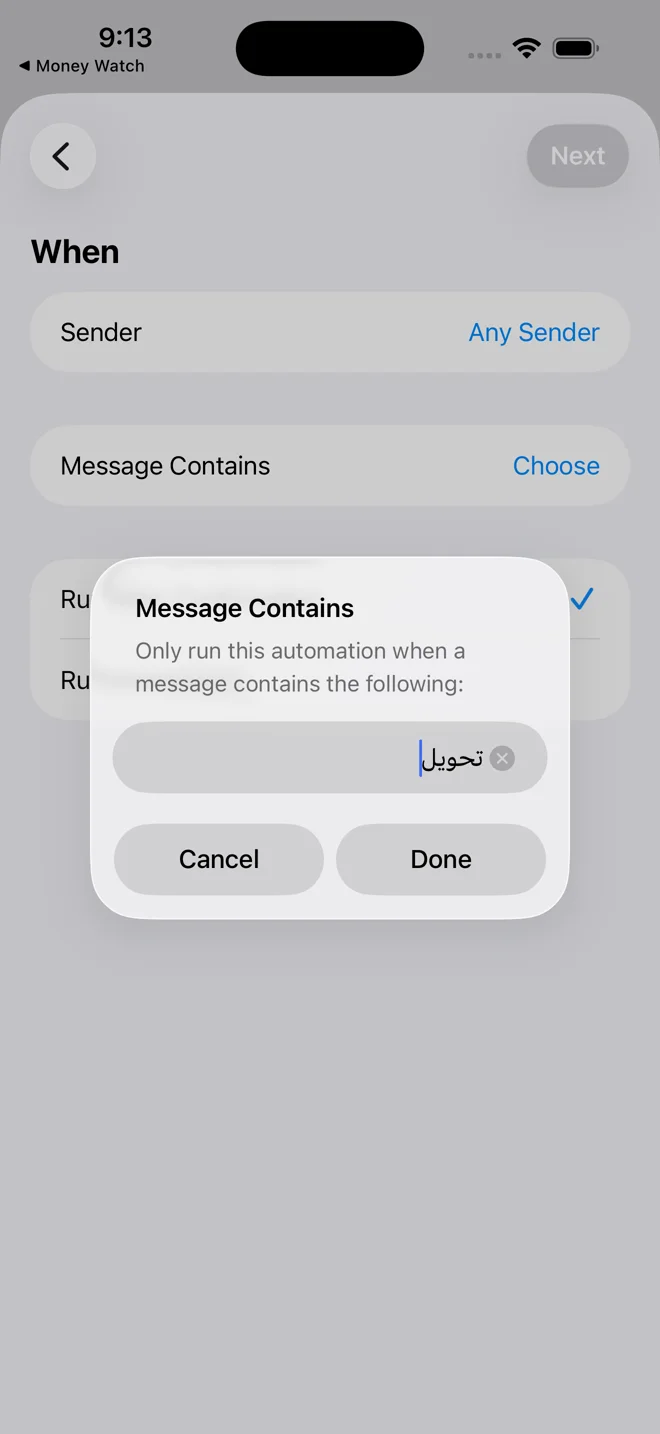
And the second
Tap + once more and do the same with تحويل.
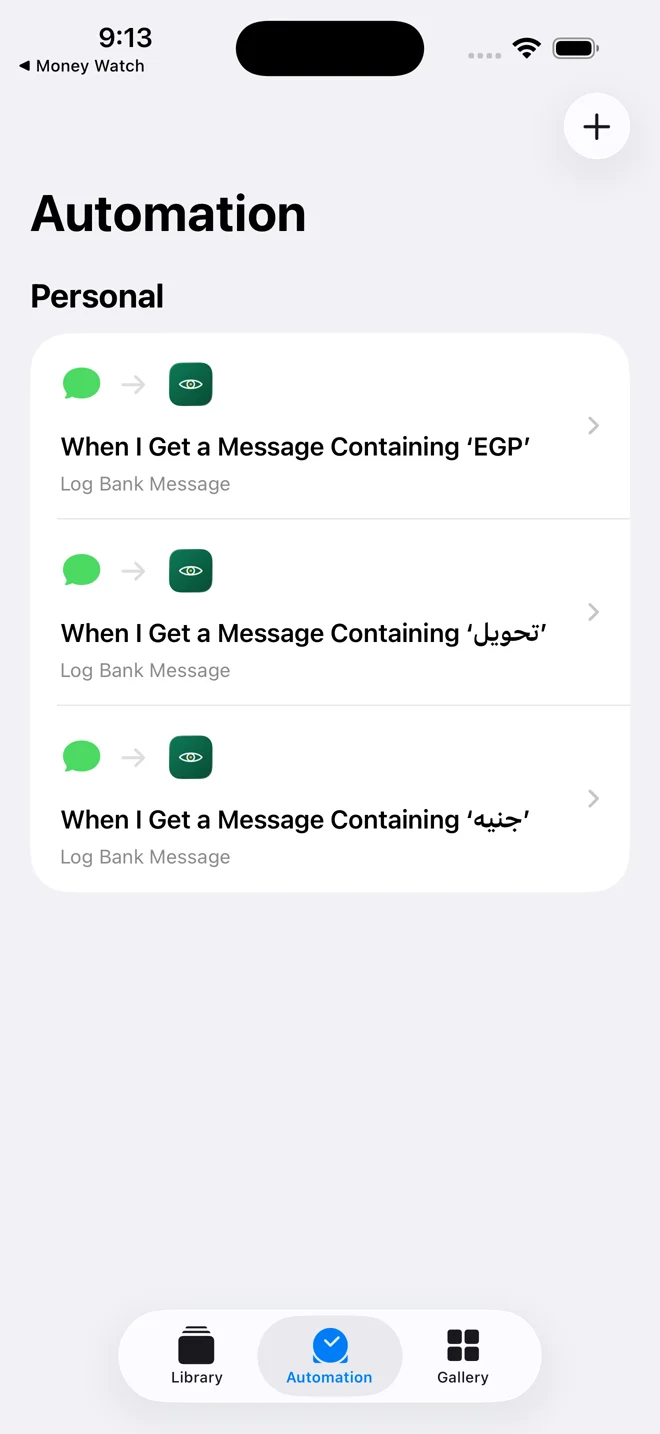
Done
Three automations, all on. Lock your phone and forget about them.
How you know it worked
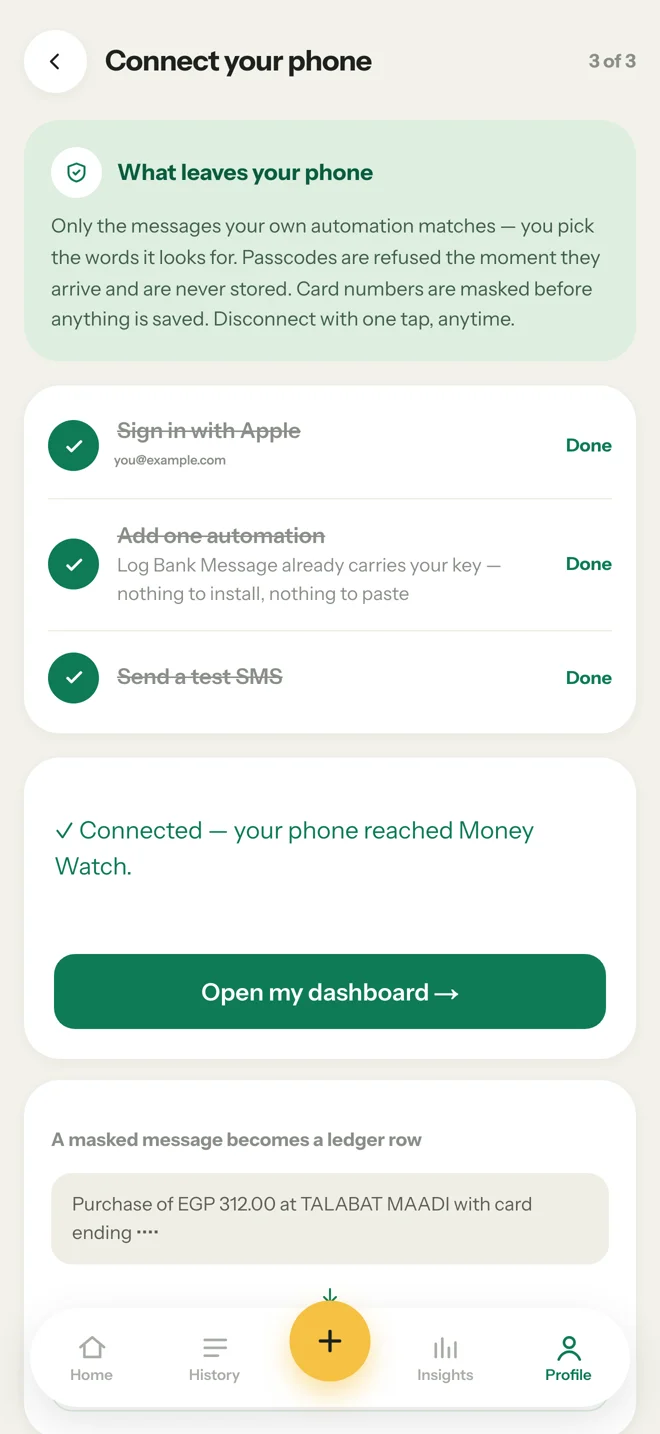
Open Profile → Setup guide. The box near the top says Waiting for your phone… and watches by itself. The next time your bank texts you, it turns green: Connected — your phone reached Money Watch. You do not need to refresh or tap anything.
Want to see it now instead of waiting for a charge? Open Shortcuts, tap Log Bank Message, paste any old bank message into it, and tap Done. The box turns green within seconds.
Old messages will not come in on their own. An automation only fires on messages that arrive after you make it. Your history can be brought in from a bank statement PDF instead, from Profile → Statements.
If something looks wrong
The Money Watch action is not in the list
Open Money Watch once, then come back to Shortcuts. The action registers the first time the app runs.
My phone asks me every time a message arrives
Open the automation and switch it to Run Immediately. Run After Confirmation is the setting that causes this.
A message arrived but nothing showed up
Check the word. EGP must be in capitals, and the Arabic words must be pasted exactly. Messages from before the automation was made never import.
I typed the bank's name in Sender and nothing fires
Sender only matches saved contacts. Leave it on Any Sender and use Message Contains instead.
Get the app, then follow the steps above
Download on the App Store